Ever wondered how to truly connect with Roblox customer service if you're facing an issue like an account problem or a billing query? Many players search for a direct Roblox email address hoping for quick support but often find the process confusing. This comprehensive guide will navigate you through the official and most effective ways to reach Roblox support. You'll learn why a traditional email address isn't usually the primary contact method and discover the best channels to get your questions answered quickly and efficiently for various concerns. Understanding these methods is crucial for account safety and resolving in-game challenges. This guide is your key to getting fast, reliable help.
Hey everyone, curious about how to connect with Roblox? You're in the right place! We've all been there, scratching our heads and wondering, "What is Roblox's email?" hoping for a quick answer. Well, consider this your ultimate living FAQ, freshly updated for the current year, packed with the latest insights on navigating Roblox support. We're going to dive deep into how Roblox handles player queries, account issues, and everything in between. From common questions to pro tips, we're covering it all to make sure you're empowered to get the help you need efficiently and securely. No more guesswork, just clear, actionable advice to keep your Roblox experience smooth and fun!
Most Asked Questions about Roblox Support
Beginner Questions
Are you new to Roblox or just new to needing help? These questions cover the basics of getting started with Roblox support.
What is the official Roblox email address for customer service?
Roblox generally does not provide a public, direct email address for general customer service inquiries. Instead, they primarily use a dedicated Support Form on their official Help page. This system efficiently categorizes issues like account problems, billing, or technical glitches, directing them to specialized teams for quicker resolution. Always use the official form to ensure your request reaches the correct department securely.
How do I contact Roblox support if I cannot log into my account?
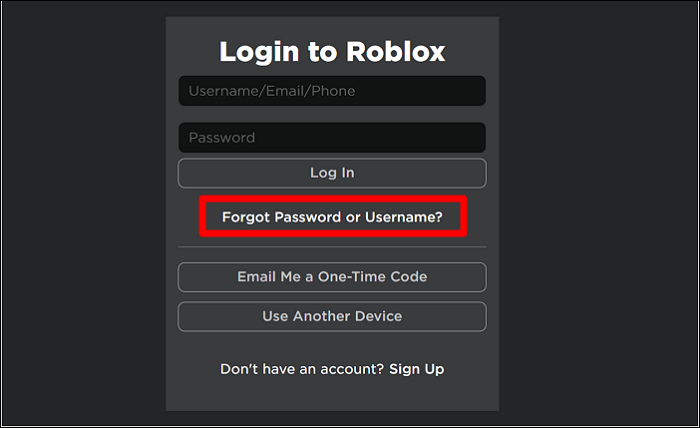
If you're locked out of your Roblox account, use the "Forgot Password or Username" link on the login page first. If that doesn't work, head to the official Roblox Support Form. Select the "Account Hacked or Cannot Log In" option. Provide as much detail as possible, including your username and any associated email or phone number. This is the fastest official way to initiate account recovery.
Is there a phone number for Roblox customer service?
No, Roblox typically does not offer a public customer service phone number for general support. Their primary contact methods are online through their Support Form and extensive Help Center articles. For critical billing issues, some payment providers might have specific Roblox contact information, but for most player concerns, the online form is the designated and most effective channel for communication.
Tips & Tricks: Maximizing Your Support Experience
Get the most out of your support requests with these insider tips!
What details should I include when filling out the Roblox Support Form?
When using the Roblox Support Form, include your Roblox username, the email associated with your account, and a detailed description of your issue. For billing, add transaction IDs, dates, and payment methods. For technical bugs, specify your device, operating system, and steps to reproduce the problem. The more precise information you provide, the faster Roblox support can understand and resolve your inquiry efficiently.
How can I prevent my Roblox account from being compromised?
To prevent account compromise, enable 2-Step Verification immediately. Create a strong, unique password and never share it. Be wary of unofficial "free Robux" generators or phishing links asking for login details. Only visit official roblox.com pages. Regularly review your account activity for suspicious behavior. Staying vigilant and using official security features are your best defenses against unauthorized access.
Can I appeal a moderation decision made on my Roblox account?
Yes, you can appeal a moderation decision if you believe it was incorrect. When you receive a moderation notice, there's usually an option or instructions provided to submit an appeal. Clearly and politely explain your case, providing any relevant context or evidence. Roblox's moderation team will review your appeal. Submitting a well-reasoned appeal is your chance to clarify the situation.
Bugs & Fixes: Troubleshooting Common Issues
Encountering glitches? Here's how to get them fixed.
What should I do if a Robux purchase did not appear in my account?
If your Robux purchase isn't showing up, first wait a few hours as sometimes there can be a slight delay. If it's still missing, check your purchase history on your payment method. Then, fill out the Roblox Support Form under "Billing & Robux issues." Include the transaction ID, date, amount, and payment method used. Providing these details helps Roblox trace the missing Robux effectively.
Multiplayer Issues: Connecting with Others
Having trouble in game? These questions address connectivity and in-game interactions.
How do I report another player for inappropriate behavior in-game?
To report another player, use the in-game reporting tool. Click on the player's avatar or their name in the leaderboard, and you should see a "Report Abuse" option. Select the reason for your report and provide specific details about their behavior. This sends a direct report to Roblox's moderation team, which is much more efficient than trying to email them separately. Your reports help keep the community safe.
Endgame Grind: Advanced Account Management
For veteran players, these questions tackle more complex account needs.
How does Roblox handle GDPR or CCPA data access requests?
Roblox has dedicated processes for data protection regulations like GDPR and CCPA. If you need to submit a data access, deletion, or correction request, you should use the specific privacy request forms or sections found on their Privacy Policy page or within the support portal. These forms are designed for secure identity verification and legal compliance, ensuring your personal information is handled appropriately.
Still have questions?
If you haven't found your answer here, don't hesitate to visit the official Roblox Help Center for more detailed articles or submit a new request via their Support Form. You can also explore popular related guides like "Roblox Account Security Best Practices" or "Understanding Robux Purchases and Refunds" for further assistance.
Hey there, fellow gamers! Have you ever found yourself in a tricky spot with your Roblox account, frantically searching for "what is Roblox's email" hoping to shoot off a quick message? I get it; we've all been there, needing help and expecting a direct email address to pop up. It feels like such a fundamental way to communicate, right? Well, let's pull back the curtain on how Roblox actually handles player support in today's fast-paced gaming world. You might be surprised to learn that a traditional, public-facing email isn't usually the direct route. Roblox has evolved its support system to handle millions of players efficiently, prioritizing certain channels to keep things running smoothly. This approach, while sometimes different from what we expect, is designed to funnel specific issues to the right teams quickly. Understanding this setup is crucial for getting your problems resolved without unnecessary frustration.
Roblox, a massive platform cherished by millions, relies heavily on its dedicated support page and inquiry forms for most communications. Why is this the case? Primarily, it helps them categorize and prioritize incoming requests, ensuring that urgent issues like account security breaches or billing problems receive prompt attention. Instead of a general inbox overflowing with varied queries, these forms guide users to provide specific details, which helps the support team address concerns more effectively. It's a system built for scale, making sure everyone gets the help they need in a structured manner. So, if you're wondering how to actually talk to someone, don't just blindly search for an email; there's a smarter, more direct path.
Understanding Roblox's Support Ecosystem
Why Roblox Doesn't Have a Public Email Address for General Support
You might be asking, "Why can't I just email Roblox directly?" This one used to trip me up too, because most companies offer a straightforward email! Roblox, being a platform with hundreds of millions of active users, has to manage an astronomical volume of inquiries daily. Imagine a single email address trying to handle all that traffic; it would be an absolute nightmare of disorganization. Their system channels specific issues like account security, billing disputes, or technical glitches through categorized forms. This method ensures your specific problem reaches the right department faster, rather than getting lost in a generic inbox. It truly streamlines their operations, helping them serve such a massive global community effectively every single day.
Navigating the Official Roblox Support Page
So, if there isn't a direct email, where do you go? Your first and best stop should always be the official Roblox Support page. It's designed as a self-service hub, packed with articles covering common questions and troubleshooting guides. Think of it as your primary resource for everything from password resets to understanding Robux purchases. If you don't find your answer there, the page also hosts the crucial contact form. Using this form correctly is key to getting your issue reviewed. Make sure to select the most relevant category for your problem, as this directs your request to the appropriate support team for a faster resolution. You've got this, just follow the path!
When you're filling out the contact form, precision is your best friend. Provide as many relevant details as possible about your issue. If it's about a specific game, include the game's title. If it's a billing concern, reference transaction IDs. For account issues, specify usernames and any error messages you received. Clear, concise information helps the support team understand your situation without a lot of back-and-forth, saving everyone time. Remember, the more information you give upfront, the smoother the process will be. This attention to detail dramatically increases your chances of a quick and satisfying resolution.
Key Channels for Reaching Roblox Support
The Roblox Support Form: Your Primary Contact Method
The Roblox Support Form is truly the backbone of their customer service operation. It’s essentially a smart questionnaire designed to get all the necessary information from you without delay. When you fill it out, you’ll encounter various dropdown menus for selecting your issue type, device, and other relevant categories. Choosing the right options here is critical because it ensures your ticket goes to the team best equipped to handle your specific concern, whether it's related to account security or a purchase. Always double-check your email address too, as that's how they'll reply to you. This form really is your most efficient route to getting help directly from Roblox.
What About Email for Specific Issues Like Legal or Parental Inquiries?
While a general support email is rare, specific departments within Roblox might have dedicated contact methods for unique situations. For instance, parents often have questions about their children's accounts, privacy settings, or content filtering. Roblox provides specific channels for these types of inquiries, usually linked through their main support pages or their parental resources section. Similarly, legal matters or press inquiries would follow different, more formal contact protocols, which are typically listed in their corporate information sections. These are not for general player issues but for very specialized communication needs. It's good to know these exist, even if they aren't your everyday go-to. You'll find what you need!
Account Security and Reporting Concerns
How to Report a Player or Content Violation on Roblox
Keeping Roblox a safe and fun environment for everyone is a collective effort, and reporting inappropriate behavior is a vital part of that. If you encounter a player violating community guidelines or see inappropriate content, you don't need a direct email. Roblox provides easy-to-use in-game reporting tools. You can usually click on a player's name or the offending content itself to bring up a report option. These reports go directly to Roblox's moderation team, who review them and take appropriate action. It’s a much more immediate and effective system than trying to send an email, ensuring swift intervention. Don't hesitate to use these tools if you spot something amiss!
Protecting Your Roblox Account: Why Direct Email Isn't the Answer
Account security on Roblox is a huge deal, and ironically, trying to find a direct email for general issues can sometimes make you more vulnerable. Scammers often create fake "Roblox support email" addresses to trick players into giving up their login details. Always be wary of unsolicited emails claiming to be from Roblox asking for your password or personal information. The official Roblox support team will never ask for your password. Stick to the official support forms and website for any account-related concerns. Employing two-step verification is also an absolute must for every player. Your account safety is paramount; let's keep it locked down together!
Think about it: a scammer might send you a very convincing-looking email, complete with Roblox branding, asking you to "verify" your account by clicking a suspicious link. Clicking these links can lead to phishing sites designed to steal your username and password. Always check the sender's email address for legitimacy and only ever interact with Roblox through their official website or the dedicated support forms. If something feels off, it probably is. Your vigilance is the first line of defense against these tricky tactics. Stay smart, stay safe, and keep your Robux secure!
Roblox and Parental Involvement
For parents concerned about their child’s online experience, Roblox offers robust tools and resources. These are designed to empower guardians with control over safety settings, chat filters, and spending limits. The platform recognizes the importance of a secure and age-appropriate environment for its younger user base. Parents can access dedicated sections on the Roblox Help Center, which outline how to configure these settings effectively. They also provide guidance on understanding account activity and reporting any concerns directly through the appropriate forms. This proactive approach helps ensure that Roblox remains a positive space for everyone.
Community and Developer Support
Beyond direct customer service, Roblox fosters a vibrant community and developer ecosystem. For creators, the Roblox Developer Forum and Developer Hub are invaluable resources. These platforms allow developers to share knowledge, troubleshoot issues, and collaborate on projects. It’s a powerful peer-to-peer support network that complements the official support channels. For general community discussions and help, various fan-run forums and social media groups exist. However, always remember that for account-specific or sensitive issues, the official Roblox Support Form remains the safest and most reliable point of contact. Using these resources wisely enhances your overall Roblox experience.
Staying Updated and Informed
The Roblox platform is constantly evolving, with new features, updates, and security measures being implemented regularly. Staying informed about these changes is crucial for a smooth and secure gaming experience. Roblox often announces important updates through its official blog, social media channels, and within the platform itself. Regularly checking these sources can provide valuable insights into new support procedures or enhanced security protocols. Being proactive about information helps you adapt to any changes in how you might need to interact with support or manage your account. Knowledge is power, especially in the ever-changing digital landscape.
Quick Human-Friendly Cheat-Sheet for This Topic
- Forget the Direct Email: Seriously, don't waste time looking for a general "Roblox email." It's not their primary support method!
- Use the Support Form: Your absolute best friend for any issue is the official Roblox Support Form on their website. Fill it out clearly!
- Be Super Specific: When using the form, give all the details – usernames, dates, transaction IDs, error messages. It helps them help you faster.
- Account Security First: Never share your password, and enable 2-Step Verification immediately. It's your digital shield!
- Report In-Game: For bad players or content, use the in-game reporting tools; they're the quickest way to get moderators involved.
- Parents Have Options: Roblox has specific resources for parents on their support page; encourage guardians to use those.
- Beware of Scams: If an offer for "free Robux" or a link looks fishy, it probably is. Stick to official Roblox channels only!
Beginner / Core Concepts
- Q: I can't find a direct email for Roblox support, is there one?A: I get why this confuses so many people, because most companies do have a public email! But here’s the scoop: Roblox doesn't typically offer a direct, publicly listed email address for general customer support. Instead, they’ve streamlined their process to handle the massive volume of player inquiries more effectively. Your best bet, and the official channel, is their dedicated Support Form found on the Roblox Help page. This form is designed to gather specific details about your issue, ensuring it gets routed to the right team quickly. It helps them keep things organized and means your request is less likely to get lost in a general inbox. Just remember to be clear and detailed when you fill it out. You’ve got this!
- Q: How do I reset my password if I forgot it and can't log in?A: This one used to trip me up too, especially when you’re in a hurry to jump back into a game! If you've forgotten your Roblox password, don't fret. The quickest way to get back into your account is by using the "Forgot Password or Username" link on the Roblox login page. You'll typically be asked to enter the email address or phone number associated with your account. Roblox will then send you a link or a code to reset your password. It's a secure and straightforward process that bypasses the need for direct email contact. Always make sure you're on the official Roblox website to avoid any phishing attempts. Give it a shot, you'll be back in the game in no time!
- Q: I need help with a Robux purchase that didn't go through. What should I do?A: Oh man, a Robux purchase issue is super frustrating, especially when you’re eager to grab something cool! For these kinds of problems, the Roblox Support Form is your go-to. When you fill out the form, make sure you select the category related to "Billing & Robux." It's incredibly important to include details like the date of purchase, the amount, the payment method you used, and any transaction IDs or screenshots you might have. This detailed information helps the support team track down your specific transaction much faster. They’ll usually respond to the email you provide in the form. Hang in there, they’re usually pretty good about sorting these out!
- Q: Can my parents contact Roblox about my account, and if so, how?A: Absolutely, parents can (and should!) contact Roblox if they have concerns or questions about their child’s account. Roblox understands the importance of parental involvement, and they have specific channels for it. Parents can use the same official Support Form but should clearly indicate they are a parent and the nature of their inquiry, perhaps related to account settings, privacy, or content. There are often dedicated sections on the Roblox Help page specifically for parents, which can guide them through these processes. It’s all about ensuring a safe and positive experience for younger players, and communication is key. Encourage them to check out the parental resources section on the Roblox site; it’s really helpful!
Intermediate / Practical & Production
- Q: What's the typical response time when I use the Roblox Support Form?A: I know, waiting for a response can feel like forever, especially when you're dealing with an account issue! The typical response time from Roblox support can vary quite a bit, honestly. It often depends on the current volume of requests and the complexity of your issue. Simple things like password resets might get a quicker automated response, but more complex problems, such as a compromised account or a detailed billing dispute, can take several days, sometimes up to a week or more. Patience is truly a virtue here. Always check your spam folder for their reply, as sometimes emails from new senders can get filtered. If it’s been a really long time, you might gently follow up using your original ticket number. Just try not to submit multiple forms for the same issue, as that can actually slow things down!
- Q: I suspect my account has been hacked. What are the immediate steps I should take?A: Oh no, an account hack is incredibly stressful, and my heart goes out to anyone dealing with that! First off, don't panic, but act quickly. Your immediate priority is to try and reset your password if you still have access to the associated email or phone number. If you can’t, go straight to the Roblox Support Form. Select the "Account Hacked or Compromised" category, which is usually given high priority. Provide every single detail you can think of: when you last accessed it, any suspicious activity, and your original account creation email. Roblox takes these issues very seriously, as account security is paramount. Enable 2-Step Verification on *all* your accounts going forward, too – it's a lifesaver! Stay calm and methodical, you'll get through this.
- Q: How do I report a game or experience that is inappropriate or broken?A: Keeping Roblox a safe and fun place for everyone is a team effort, and reporting inappropriate or broken experiences is super important! You typically don't need to email them directly for this. Most games and experiences on Roblox have an in-game reporting feature. Look for a small flag icon or a "Report" option, often accessible through the menu (like the Escape menu on PC). When you report, you'll usually be asked to specify the reason – whether it's inappropriate content, exploitation, or a technical issue. This system sends the report directly to the moderation team, who can investigate much faster than an email ever could. It’s effective, and your reports genuinely make a difference. Good on you for looking out for the community!
- Q: What information should I have ready before contacting Roblox support?A: Preparing your info beforehand is a super smart move, it really speeds things up! When you're about to fill out that support form, gather everything pertinent to your issue. If it’s an account problem, have your Roblox username (and ideally your original creation email) ready. For billing, grab transaction IDs, purchase dates, and the payment method used. If you're reporting a bug, describe the steps to reproduce it and mention your device type and operating system. Screenshots or screen recordings can also be incredibly helpful! The more specific details you provide upfront, the less back-and-forth there will be, which means a quicker resolution for you. Think of yourself as a detective, providing all the clues!
- Q: Are there any community forums or social media channels for direct help?A: While community forums and social media can be amazing for peer-to-peer help and general discussions, they're generally not the place for direct, official Roblox support, especially for account-specific issues. Roblox does have official social media presence (like Twitter/X, Facebook, YouTube), where they announce updates and address broader community concerns. Sometimes, if there’s a widespread outage, they’ll post updates there. However, for personal account problems, billing issues, or security concerns, you *must* use the official Support Form. Sharing personal account details on public forums or social media is a big no-no for your security! Stick to the designated official channels for anything sensitive. You'll be safer that way!
- Q: I'm a developer and have a technical question about Roblox Studio. Who do I contact?A: Ah, a fellow creator! This is a great question because developer support often has slightly different avenues. While the main Support Form can handle some developer-related issues, for in-depth technical questions about Roblox Studio, the Developer Hub and the official Roblox Developer Forum are goldmines. These platforms are specifically designed for creators to ask questions, share knowledge, and troubleshoot problems with experienced developers and sometimes even Roblox staff. You'll find tutorials, API references, and a vibrant community ready to help. For critical bug reports in Studio, you might still use the main support form, but the forums are fantastic for learning and collaborative problem-solving. Dive in, there's so much knowledge there!
Advanced / Research & Frontier
- Q: How does Roblox handle GDPR or CCPA data access requests?A: This is a super important and increasingly common question for privacy-conscious users! Roblox, like any major online platform, has procedures in place to comply with data protection regulations like GDPR (Europe) and CCPA (California). If you need to submit a data access, deletion, or correction request, you typically won't do it via a general email. Instead, Roblox has specific privacy request forms or sections within their support portal, often linked from their Privacy Policy page. These forms are designed to securely verify your identity and handle your request in accordance with legal requirements. It’s a specialized process to protect your personal information, so always look for the official privacy request channels. Your data, your control!
- Q: What's the process for appealing a moderation decision on my account?A: Ugh, moderation decisions can feel super frustrating sometimes, especially if you feel it was unjust! If your account was moderated (e.g., banned, warned, or content removed) and you believe it was an error, you absolutely have the right to appeal. The appeal process usually starts by replying directly to the moderation message or email you received. There’s often a link or instructions provided for submitting an appeal. In your appeal, be clear, concise, and provide any evidence or context that might clarify the situation. Avoid emotional language; stick to the facts. Roblox’s moderation team will review your case again. It's their way of ensuring fairness, and sometimes, mistakes do happen. Give it your best shot!
- Q: Is there a dedicated contact for press or media inquiries related to Roblox?A: Yes, for sure! If you're a member of the press or media, sending a general support email won't get you far. Roblox has a dedicated public relations or media relations team that handles all press inquiries. You'll typically find their specific contact information, often an email address or a dedicated media contact form, in the "About Us" or "Press" section of the corporate Roblox website. This ensures that media requests are routed to the professionals who are equipped to provide official statements, statistics, or arrange interviews. It's a standard practice for large corporations to separate these communications from general customer support. Always look for the specific media contact details to get your story heard!
- Q: How can I provide feedback or suggestions for new Roblox features or improvements?A: I love that you're thinking about how to make Roblox even better! While there isn't usually a direct email for general feature suggestions, Roblox truly values community feedback. The best places to share your ideas are often the official Roblox Developer Forum or specific community feedback channels they might occasionally open. Sometimes, developers or community managers will actively solicit feedback on upcoming features. Engaging in these forums or participating in official surveys are fantastic ways to make your voice heard. While they can't implement every idea, they definitely pay attention to what the community is passionate about. Your creative input could genuinely shape the future of Roblox!
- Q: What are the best practices for safeguarding my account against phishing and scams beyond 2FA?A: This is a crucial advanced question because scammers are always evolving their tactics! Beyond 2FA, which is non-negotiable, always be incredibly skeptical of any links sent via unofficial channels (in-game chat, private messages from strangers, suspicious emails). Never enter your login credentials on any site that doesn't show "roblox.com" in the URL bar, and even then, double-check for subtle misspellings. Be wary of offers that seem too good to be true (like "free Robux" generators); they're almost always scams. Educate yourself on common phishing techniques. Regularly check your account activity for anything unusual. And remember, Roblox staff will *never* ask for your password. Your vigilance is your superpower in keeping your account safe and sound!
Official Roblox support channels, no direct public email for general inquiries, account recovery processes, billing dispute resolution, reporting issues, parental contact options, understanding the support form, importance of account security, avoiding scams.
35


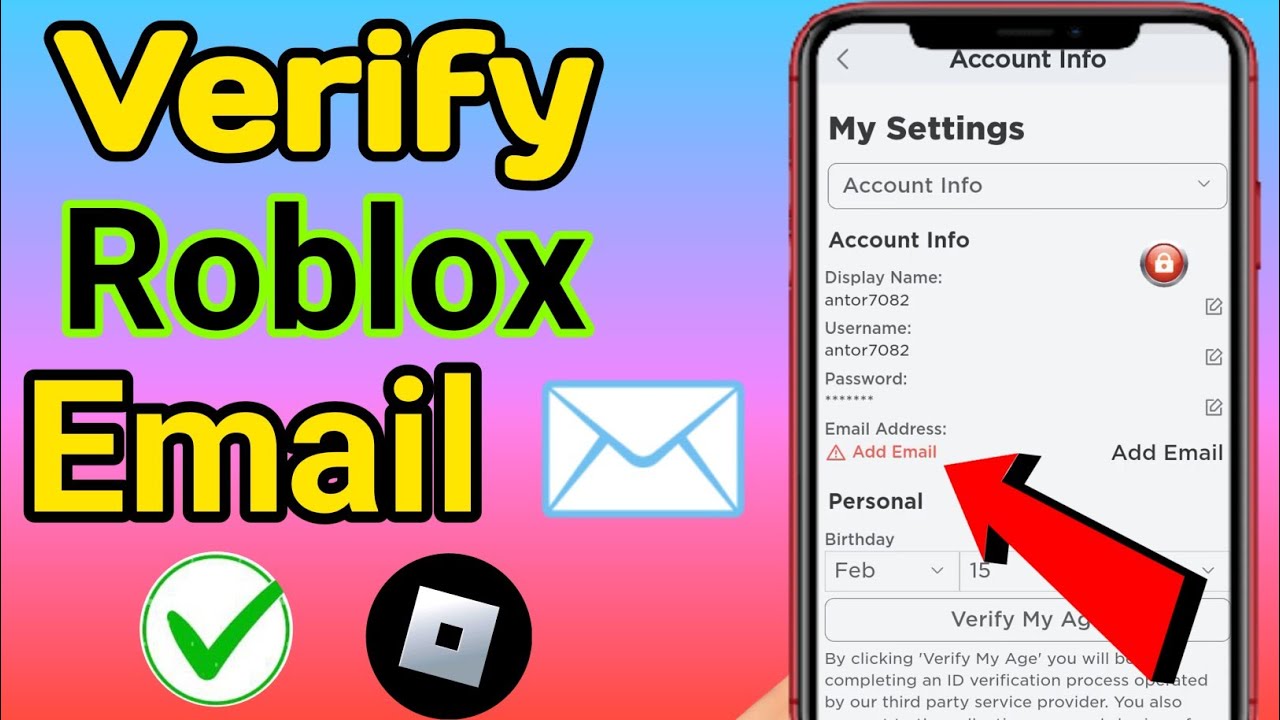
How To Verify Your Email In Roblox Full Guide YouTube . How To Add And Verify Email Roblox Account 2023 YouTube . Gmail Account Roblox H Ng D N T O T I Kho N V B O M T An To N . How To Verify Email Address On Roblox HardReset Info Apps Roblox.PNG. How To Verify Your Email In Roblox Verify Your Roblox Email Address





How To Check Roblox Email 2025 Easy Fix YouTube . How To Check Roblox Email EASY YouTube . What Will Roblox Look Like In 2026 Blog Graphics 26 . Email Login Roblox H Ng D N Ng Nh P An To N V Kh C Ph C L I 2 552x500 . PLEASE Make The Roblox Creators Email Look Less Like SPAM It S Scary 2 682x499


How To Send Message To Roblox Support 2024 Contact Roblox Customer . Roblox Account Email H Ng D N Kh I Ph C T I Kho N V B O M T Hi U Qu . Calendar Club Definite Guide To Roblox 2026 Annual 1200x1769 . 3 Ways To Contact Roblox WikiHow V4 460px Contact Roblox Step 5 Version 2 . How Do You Email Roblox Playbite How Do You Email Roblox 1024x576


What Is Robloxs Email Rotfreedom . How To Check What Email You Used For Roblox YouTube . Roblox 2026 New Logo REVEAL First Look At The Future Shorts YouTube Oar2 . Roblox Logged Out Lets Fix It . Roblox 2026 Logo REVEALED New Color New Look YouTube Maxres2


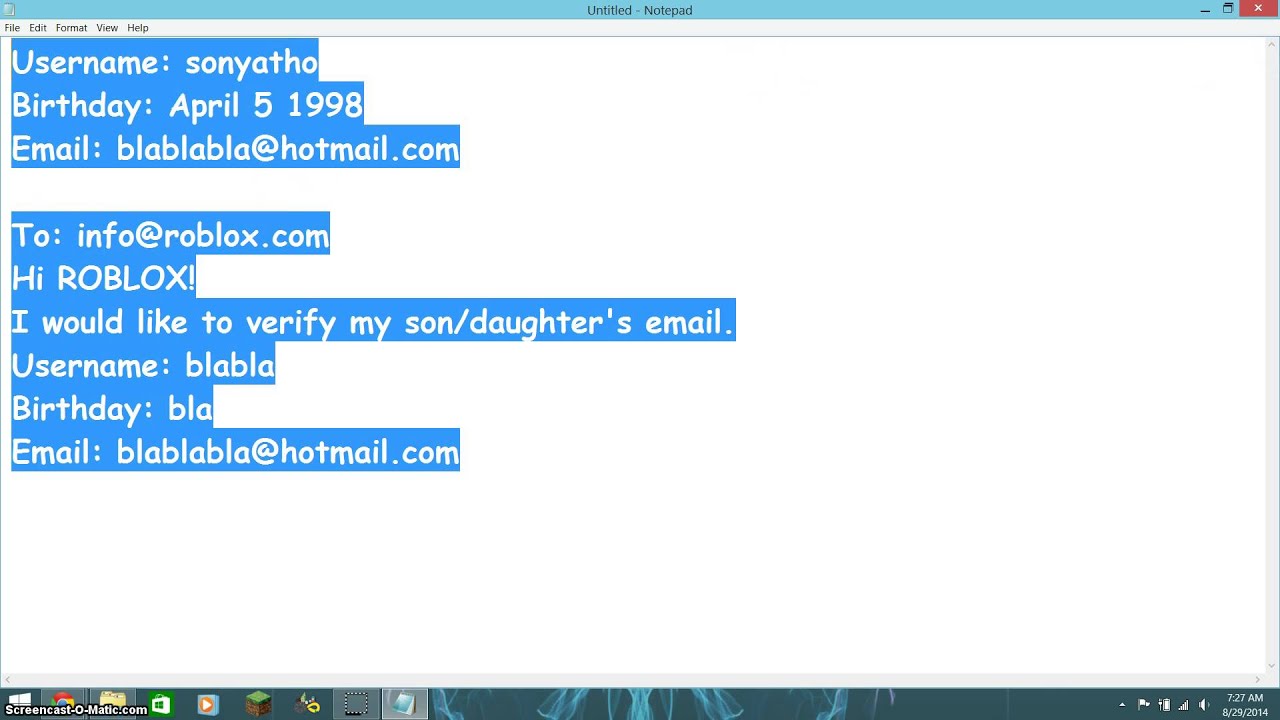


How To Add People Roblox Easily Your 2026 Guide . How To Add Your Email Address In Roblox HardReset Info Apps Roblox . What Is Robloxs Email Nbvmbchart . LOGO Roblox 2026 YouTube Maxres2 . Roblox 2026 Logo YouTube Oardefault


How To Publish A Roblox Game In 2026 YouTube . ROBLOX EM 2026 VAI MUDAR TUDO YouTube . Roblox 2026 YouTube Oar2 . Lost Roblox Password How To Find Yours In 2026 . Logo Roblox 2023 2026 YouTube Oar2



How To Check What Email You Used For Roblox YouTube . Roblox 2026 Logo Roblox YouTube Oar2 . 4 Ways To Reset Roblox Password Forgot Roblox Password . Roblox Beginner S Guide Roblox Username 5 . 10 Tr Ch I Mi N Ph Hay Nh T Tr N Roblox 2026 Gaming Net Roblox 1 1536x864