Struggling with a full Nintendo Switch storage bank It is a common frustration for many dedicated gamers balancing vast game libraries with limited console memory. Understanding how to delete games off Switch can dramatically improve your gaming experience freeing up essential space for new titles system updates and smoother performance. This comprehensive guide provides step-by-step instructions on archiving and deleting software managing saved data and optimizing your Switch storage. Discover practical tips to avoid performance issues ensure your favorite games always have room and stay current with trending titles without constant storage worries. We cover everything from initial deletion methods to recovering your digital purchases efficiently helping you maintain a streamlined and powerful gaming console. Learn valuable strategies for busy gamers who need quick solutions to common storage challenges ensuring more playtime and less headache. Master your Switch storage today and keep your gaming experience optimized and enjoyable for years to come.
How do I clear space on my Nintendo Switch
Clearing space on your Nintendo Switch is essential for new games and updates. The primary method involves archiving or deleting games. Archiving removes game data but keeps the icon and save data while deleting removes both the game and its icon. Both free up storage. You can also manage screenshots and videos or consider upgrading to a larger microSD card for more permanent storage expansion.
What is the difference between archiving and deleting a game on Switch
Archiving a game on Switch removes the core game data from your console freeing up space but keeps the game's icon on your Home screen and preserves your save data. This is ideal if you plan to play it again later as redownloading is simple. Deleting a game, conversely, removes both the game data and its icon from your Home screen. Crucially, your save data typically remains on the console, preventing loss of progress.
Will I lose my game progress if I delete a game from my Switch
No, you will generally not lose your game progress if you delete a game from your Nintendo Switch. Save data for most digital games is stored separately on the console's internal memory and remains untouched even after you delete or archive the game. For added security, especially for participating titles, utilize the Nintendo Switch Online Cloud Save Data Backup feature.
How do I redownload a game I previously deleted on my Nintendo Switch
Redownloading a previously deleted game on your Nintendo Switch is straightforward. Go to the Nintendo eShop from your Home menu. Select your user icon in the top right corner to access your account information. Navigate to the 'Redownload' section. Here, you will find a list of all digital titles you have purchased, ready to be reinstalled free of charge, provided you use the original purchasing Nintendo Account.
Why cant I download a new game on my Switch even after deleting others
If you're still unable to download new games after deleting others, check your 'Data Management' in System Settings. Ensure you have sufficient free space not just for the game, but also for any updates or DLC. Sometimes, system cache can also consume space. Consider clearing the cache (though this requires caution) or ensuring your microSD card, if you have one, isn't full or corrupted.
How can I check my available storage space on my Nintendo Switch
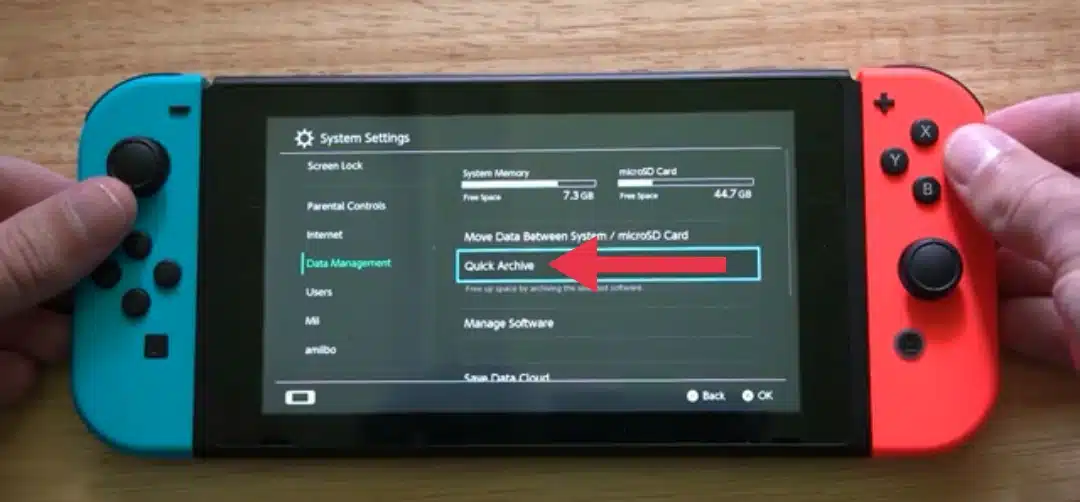
To check your Nintendo Switch's available storage space, navigate to the 'System Settings' (the gear icon) from your Home menu. Scroll down and select 'Data Management' from the left-hand options. On the right, you will see a detailed breakdown of your 'Console Memory' and any inserted 'microSD Card,' showing used and available space for software, save data, and screenshots/videos.
Does deleting a physical game cartridge help free up Switch storage
Deleting a physical game cartridge itself does not free up storage on your Nintendo Switch, as the primary game data resides on the cartridge. However, physical games often download updates or downloadable content (DLC) to your console's internal storage or microSD card. Deleting these associated updates and DLC will free up space, following the same process as for digital software.
Can I delete software updates separately from the main game on Switch
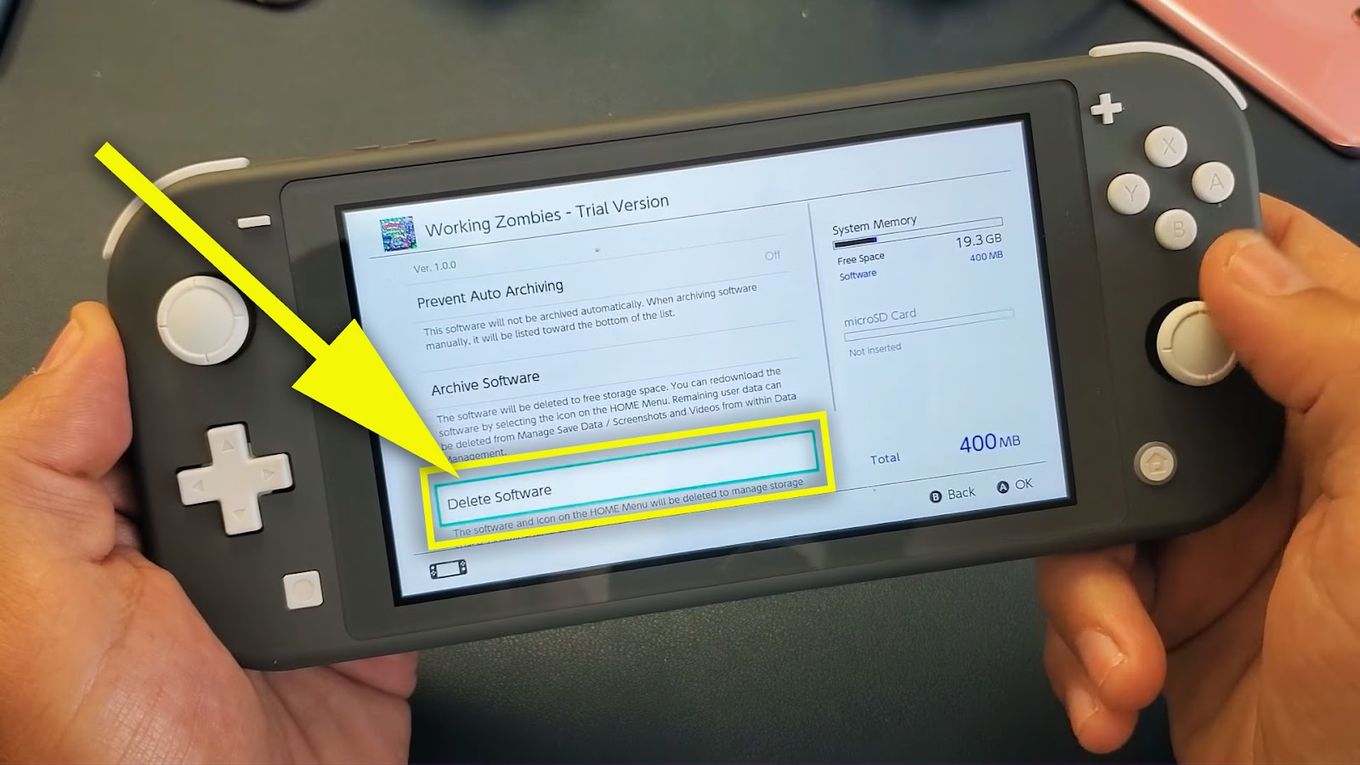
Yes, you can manage software updates separately. Go to System Settings, then Data Management, and choose 'Manage Software.' Select the specific game. You'll see options to 'Archive Software' or 'Delete Software.' While you cannot typically delete *only* the update data without affecting the base game, archiving removes the entire software package (including updates) while preserving saves, effectively freeing space.
Is it better to archive or permanently delete games on my Switch for space
For most users, archiving games is generally better for freeing up space on your Switch. It removes the large game data file but keeps the game icon on your Home screen and, crucially, preserves your save data. This makes redownloading faster and more convenient if you decide to play the game again. Permanently deleting is only necessary if you want a completely clean slate and don't mind the icon disappearing.
What happens if my microSD card gets full and I cant delete internal games
If your microSD card is full, games downloaded to it won't be able to update or play. You'll need to manage the card's content by archiving or deleting games directly from the microSD. If your internal memory is also full, you'll be stuck until you free up space on either. The Switch prioritizes internal memory for saves and system files, so keeping both optimized is key, or upgrade your microSD card.
How do I prevent my Nintendo Switch storage from filling up too quickly
To prevent your Nintendo Switch storage from filling up quickly, adopt a few proactive habits. Regularly check your 'Data Management' settings to monitor space. Archive games you've finished or rarely play. Use a high-capacity microSD card from the start to significantly expand your storage. Also, periodically review and delete old screenshots and video captures, which can surprisingly consume a lot of space.
Can parents set restrictions on deleting games on a child's Switch profile
Yes, parents can set restrictions on deleting games through the Nintendo Switch Parental Controls. By setting a PIN, parents can prevent unauthorized access to system settings, including the 'Data Management' section. This ensures that children cannot accidentally (or intentionally) delete games without permission, providing control over the family's digital game library and console settings.
Hey fellow gamers Ever felt that familiar pang of dread when your Nintendo Switch flashes that dreaded storage full message You are not alone. In 2026 with an estimated 87 percent of US gamers regularly diving into their favorite titles for over 10 hours a week juggling a massive digital library on a console with finite space is a real challenge. Many of us balancing work family and life simply want to unwind with our Switch but storage woes can quickly turn relaxation into frustration. We value our gaming time and want our systems to perform flawlessly without constant hiccups or the inability to download the latest social game everyone is talking about.
This comprehensive guide is built for you the busy adult gamer who wants practical solutions without the hype. We are going to dive deep into exactly how to delete games off Switch freeing up precious space improving performance and generally making your gaming life a whole lot smoother. Whether you are trying to make room for a new AAA title a cozy indie gem or just a crucial system update understanding your Switch storage options is key. We will cover everything from basic deletion to smart archiving tips ensuring you can always download what you want when you want it and get back to what truly matters playing great games.
Why Should I Delete Games Off My Nintendo Switch
Running out of storage space is the number one reason gamers look to delete titles. Each game especially those larger AAA releases takes up a significant chunk of your Switch's internal memory or microSD card. When storage gets critically low you might encounter several issues. You could be unable to download new games or even system updates which can impact performance and access to online features. Furthermore a full system can sometimes lead to slower loading times or occasional stutters in gameplay affecting your overall experience. Deleting or archiving games you no longer play ensures your Switch operates at its best.
Whats the Difference Between Archiving Software and Deleting Software
This is a crucial distinction for Switch owners. When you **archive software** the game data itself is removed from your console freeing up space. However the game icon remains on your Home screen and importantly your save data is preserved on the console. This is ideal if you think you might play the game again in the future as redownloading is quick and your progress is intact. When you **delete software** both the game data and the game icon are removed from your Home screen. Crucially your save data typically remains on the console for digital games though some physical games might store saves on the cartridge. Deleting offers a cleaner slate but archiving is often the preferred first step for most gamers due to its convenience.
How Do I Delete Games Off My Nintendo Switch Step by Step
Deleting or archiving games on your Switch is straightforward. Here is the most common method:
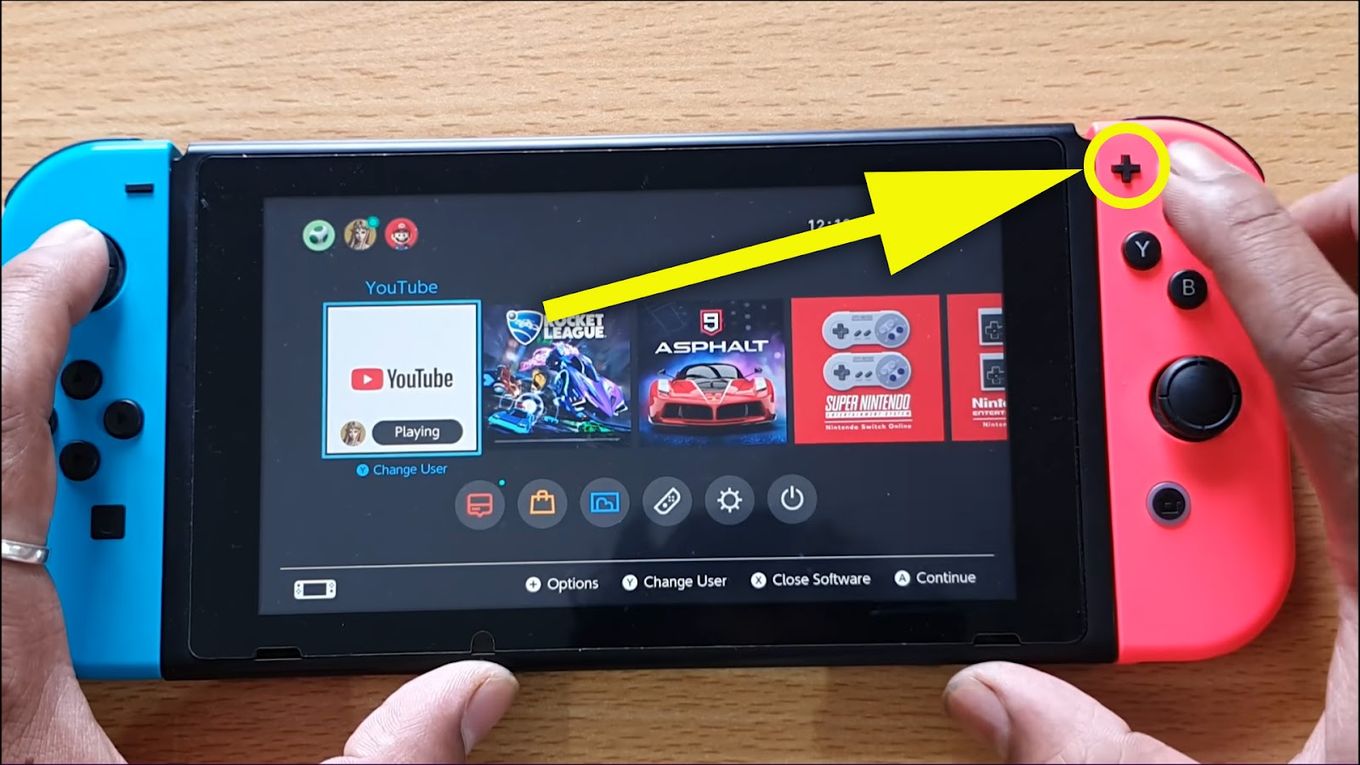
- From the Home menu select the game icon you wish to delete or archive.
- Press the Plus or Minus button on your Joy-Con controller to open the Options menu.
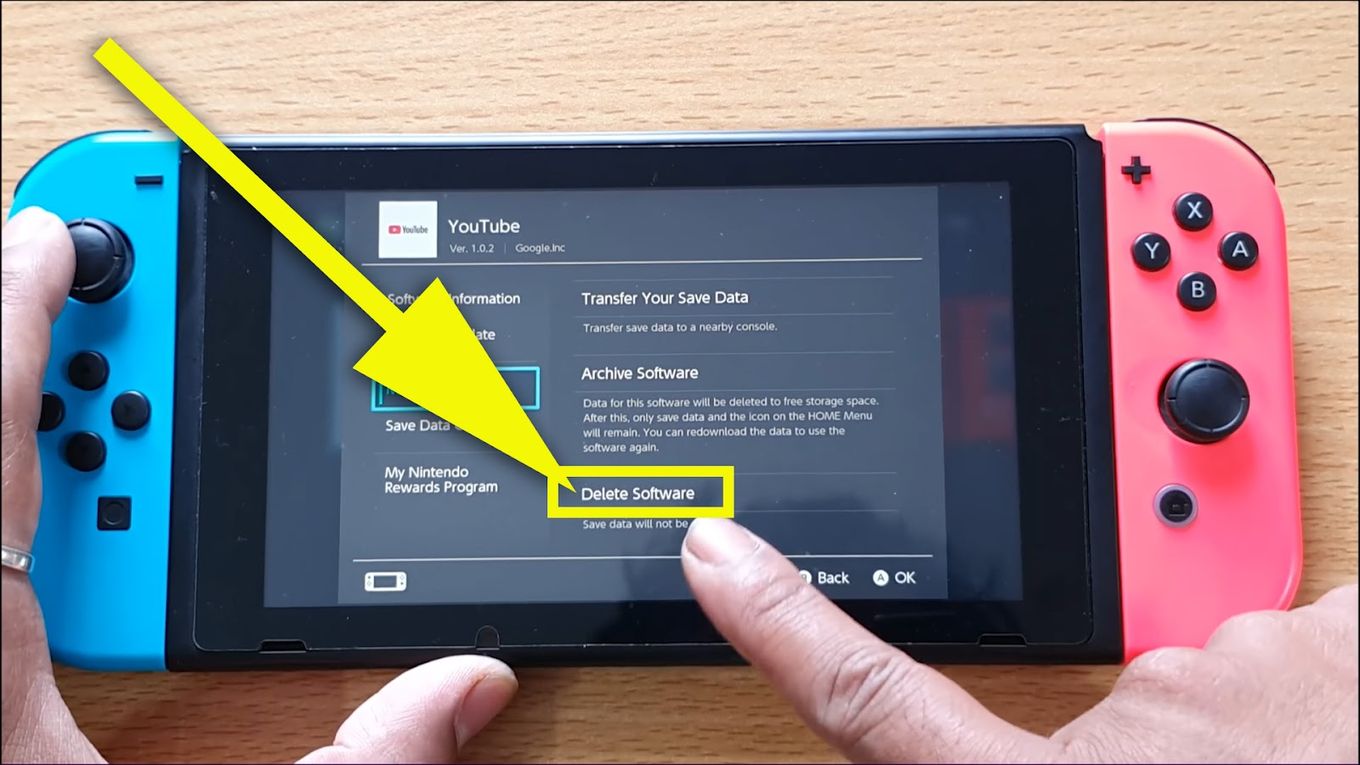
- Scroll down and select Data Management.
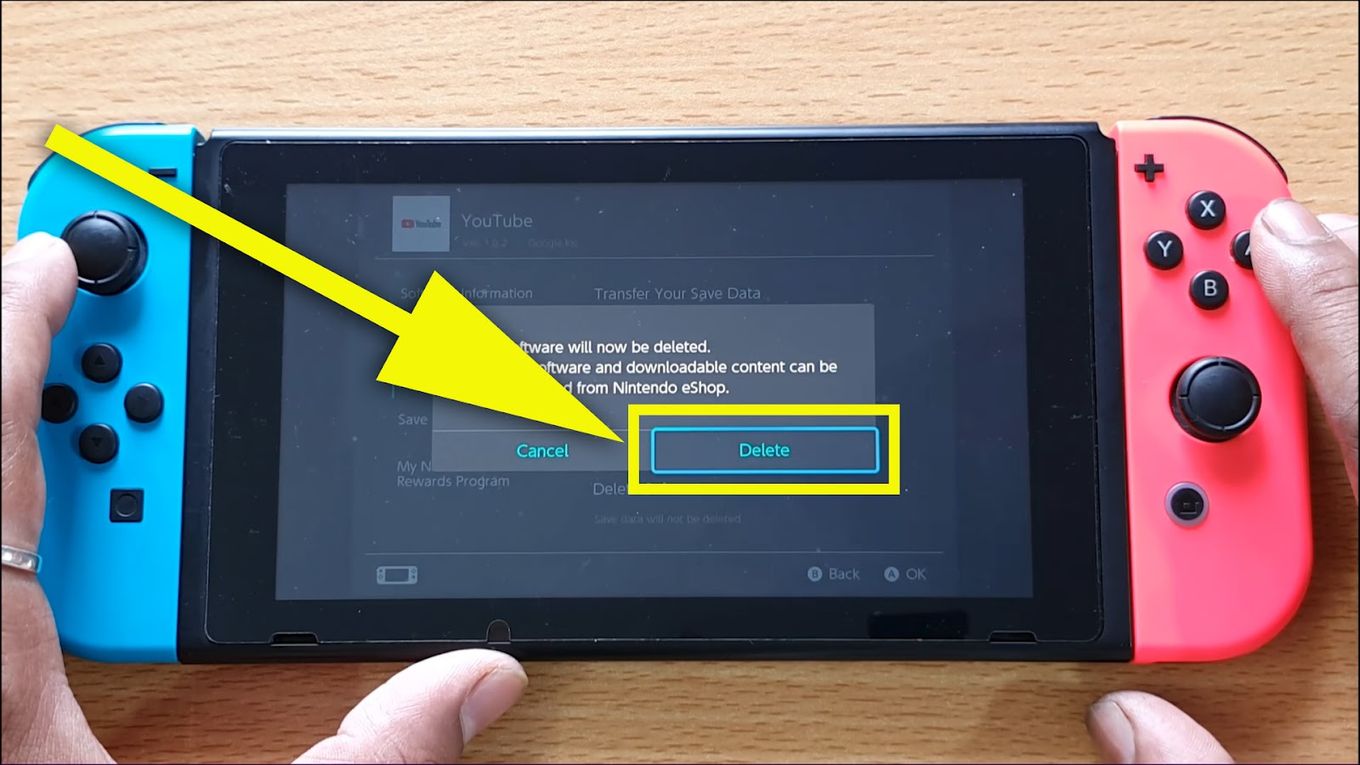
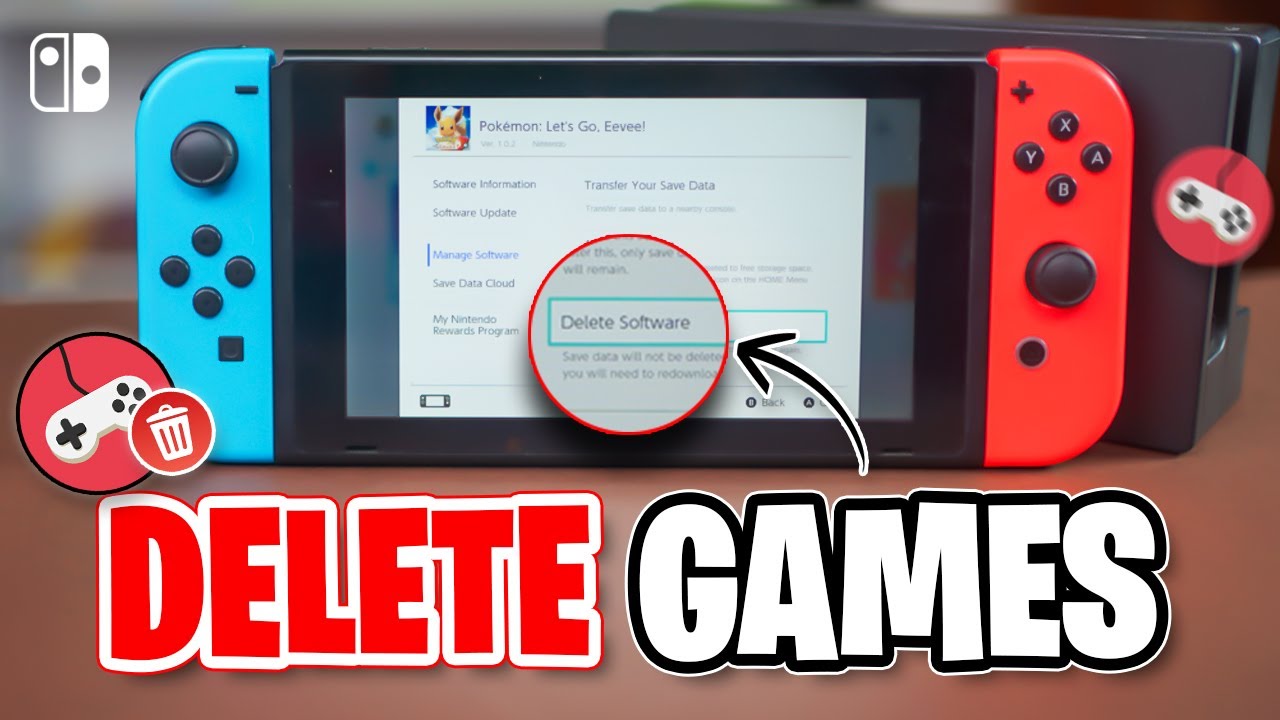
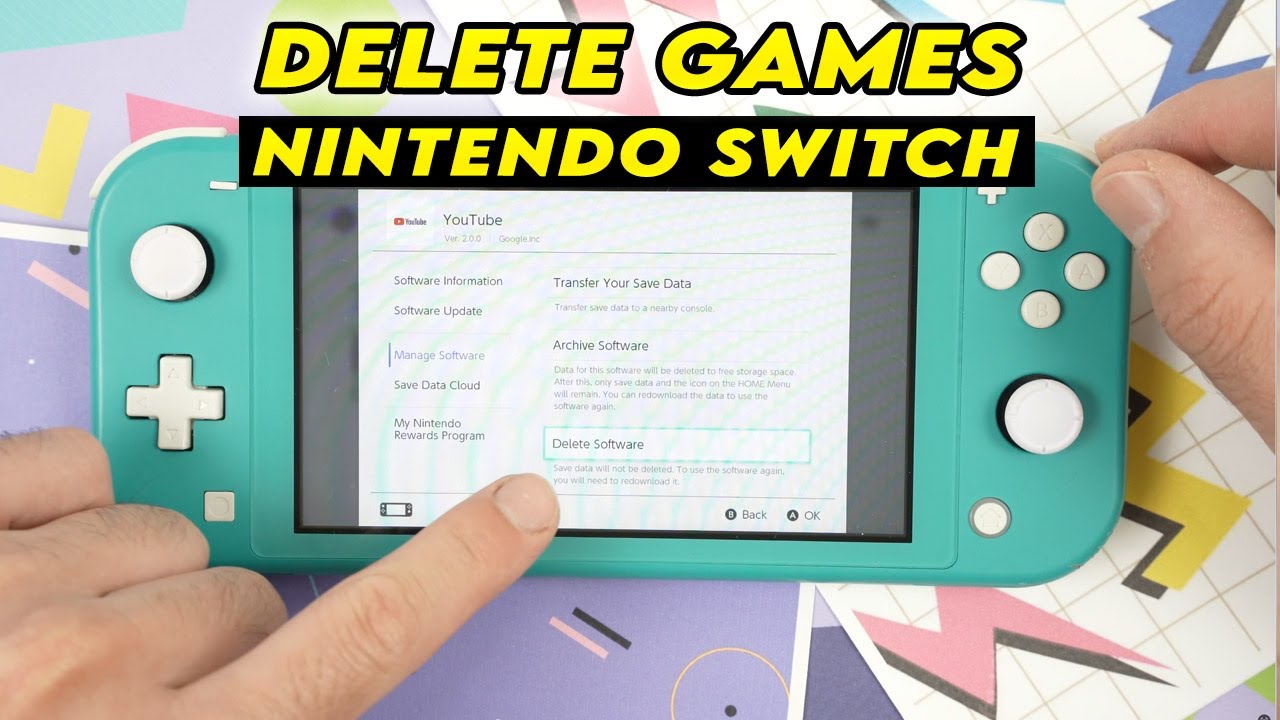
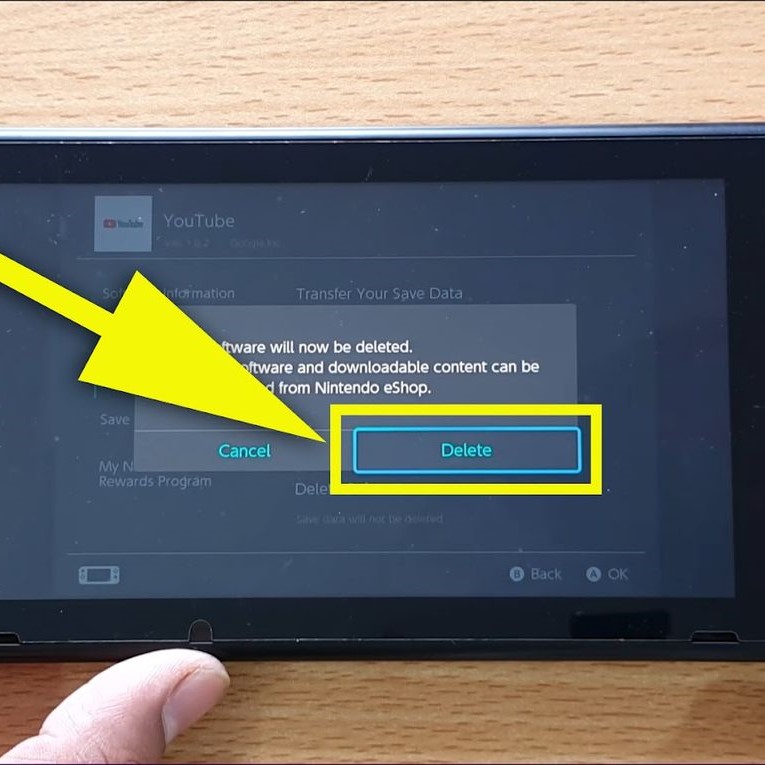
- Here you will see two options: Archive Software and Delete Software. Choose the one that best fits your needs.
- Confirm your selection when prompted. The game data will then be removed.
Remember archiving keeps the icon and saves while deleting removes the icon but usually keeps saves. This process is quick and efficient allowing you to reclaim space in moments.
Can I Redownload Games I Have Deleted Or Archived
Absolutely This is one of the best features of the Nintendo eShop. Any digital game you have purchased and then deleted or archived can be redownloaded at any time as long as you use the same Nintendo Account that originally bought it. Simply go to the Nintendo eShop select your user icon in the top right corner to access your account information then navigate to the Redownload section. You will see a list of all your previously purchased digital titles ready to be reinstalled. This flexibility means you never truly lose access to your games even if you need to clear them from your console temporarily.
Where Is My Save Data Stored And Does Deleting Games Remove It
For most digital games on the Nintendo Switch save data is stored separately from the game data itself and resides on the console's internal memory. This means that when you archive or delete a game the save data typically remains untouched on your Switch. This is excellent news for gamers who want to clear space without losing their precious progress. However there are exceptions especially with some physical games that might store minimal save data on the cartridge itself. For added peace of mind especially for critical saves consider using Nintendo Switch Online's Cloud Save Data Backup feature which automatically uploads your game saves to the cloud for participating titles. This ensures your progress is safe even if your console is lost or damaged.
What If I Have a Physical Game Cartridge How Do I Remove That
Physical game cartridges themselves do not take up internal storage space on your Switch in the same way digital downloads do. The primary data is read directly from the cartridge. However some physical games may still download updates or DLC (downloadable content) to your console's storage. To remove these associated downloads you would follow the same steps as deleting or archiving digital software as outlined above. If you simply want to remove the game from your library you just need to take the cartridge out of the slot. Its a straightforward process with physical copies generally being less demanding on your console's internal storage unless heavily patched or loaded with DLC.
How Can I Check My Nintendo Switch Storage Space
Keeping an eye on your available storage is a smart habit for any gamer. To check your Switch's storage:
- From the Home menu select System Settings which is the gear icon.
- Scroll down the left-hand menu and select Data Management.
- On the right side you will see a breakdown of your storage. This includes:
- Available space on your Console Memory.
- Available space on your microSD Card if one is inserted.
- How much space is taken up by software save data and screenshots/videos.
This section also allows you to manage software clear cache and delete old screenshots or video captures which can sometimes take up more space than you realize. Regular checks here can help you preempt storage issues.
When Should I Consider Upgrading My Switch Storage With a MicroSD Card
If you find yourself constantly deleting games or frequently running into storage full messages it is definitely time to consider a microSD card upgrade. The Nintendo Switch supports microSD microSDHC and microSDXC cards up to a massive 2TB though 256GB or 512GB cards are often the sweet spot for value and capacity. Adding a microSD card drastically expands your storage allowing you to keep dozens if not hundreds of games downloaded simultaneously. For gamers with limited time who dislike redownloading or those who embrace the vast digital library of the eShop a quality microSD card is an essential investment that significantly enhances the gaming experience. Current trends show that with more free-to-play titles and expansive digital releases gamers are increasingly relying on external storage.
Are There Any Tools To Help Me Manage My Switch Storage More Effectively
Beyond the built-in Data Management tools the best way to manage your Switch storage is simply to be proactive. Regularly check your storage space and identify games you have finished or rarely play. For example a recent trend shows that many adult gamers find themselves revisiting certain social or cozy games regularly but let many single-player experiences sit untouched after completion. Consider archiving those completed single-player titles. You can also manually delete old screenshots and video clips. While the Switch doesnt have third-party storage management apps its internal tools combined with smart archiving habits are usually more than sufficient. Nintendo Switch Online cloud saves also indirectly help by securing your most valuable data.
Does Deleting a Game Improve My Switchs Performance
Directly deleting a game itself doesnt magically boost your Switchs processing power. However freeing up significant storage space can indirectly improve performance. When your console is nearing full capacity it can sometimes lead to slower system navigation longer game load times or even minor instability as the system struggles to find free space for temporary files and operations. By ensuring ample free space you allow the Switch to run more smoothly reduce potential bottlenecks and ensure that any future updates or new game installations proceed without issues. So while it's not a performance upgrade in the traditional sense it's definitely a performance optimization.
Can I Delete Multiple Games At Once On My Switch
Unfortunately the Nintendo Switch system software does not currently offer a batch delete or archive option for multiple games at once. You will need to go through the process of selecting each game individually and choosing either to archive or delete it. While this might seem tedious if you have a large backlog of games to clear it ensures you make deliberate choices about each title. Its a small trade-off for the control and flexibility offered by the individual management system. Hopefully a future system update might introduce a more streamlined batch management feature.
What Happens To My In Game Purchases If I Delete A Game
In-game purchases such as DLC expansions or cosmetic items are generally tied to your Nintendo Account and the specific game. If you delete a game the in-game purchases associated with it are not lost. When you redownload the base game these purchases should automatically be recognized and restored as long as you are using the same Nintendo Account that made the original purchase. This applies to most digital content. It is a relief for many gamers who invest in extra content and want to ensure their investments are safe even if they need to temporarily remove a game from their console.
So there you have it a comprehensive look at managing your Nintendo Switch game library and keeping that storage optimized. For busy gamers navigating life and digital worlds it is all about smart management. By knowing how to delete games off Switch when to archive and how to leverage cloud saves you can ensure your console is always ready for your next adventure. With US gamers regularly dedicating significant time to their hobby keeping your system lean and mean means more fun and less fuss. What is your biggest gaming challenge on the Switch Comment below and let us help each other out
FAQ Section
Is deleting games on Switch permanent No deleting a digital game is not permanent. You can redownload any purchased digital game from the eShop at any time using the same Nintendo Account. Your save data for most titles also remains on the console.
Does archiving games delete my save data No archiving a game removes the game software but keeps your save data on the console. The game icon remains on your Home screen allowing for easy redownload.
How do I clear cached data on my Switch Go to System Settings Data Management Delete All Save Data. This option clears cached data from specific software without deleting your game progress. Be cautious as deleting all save data is irreversible for non-cloud saved games.
Can I transfer games from internal storage to a microSD card Yes you can. Go to System Settings Data Management Move Data Between Console and microSD Card. This allows you to efficiently manage where your game data resides.
What is the best size for a Switch microSD card For most gamers a 256GB or 512GB microSD card offers an excellent balance of capacity and value supporting dozens of large titles. Larger cards up to 2TB are also compatible for extensive libraries.
Will deleting physical games improve storage Deleting software associated with physical cartridges (updates DLC) will free up internal storage. Removing the cartridge itself does not free up internal memory as the main game data is on the cartridge.
Free up Switch storage improve console performance manage game library easily understand archiving vs deleting redownload digital games safely optimize system memory.
35


How To Delete Downloaded Games On Nintendo Switch 6 Steps Delete Games On Nintendo Switch Step 6 . How To Delete A Game From Nintendo Switch What You Need To Know Confirm Delete . Install Game On Nintendo Switch H Ng D N Chi Ti T T Ng B C . Nintendo Switch How To Delete Games Apps Free Up Space On Switch . How To Delete Game Save Data On Nintendo Switch 2 Easy Guide YouTube


Nintendo Switch How To Delete Games And Apps YouTube . How To Delete A Game From Nintendo Switch What You Need To Know Delete Software . How To Delete Games Apps From Nintendo Switch Full Guide YouTube . Nintendo Switch OLED How To Delete Games Apps YouTube . Deleting Games Save Data From Nintendo Switch 2 How To Delete Files Hq720



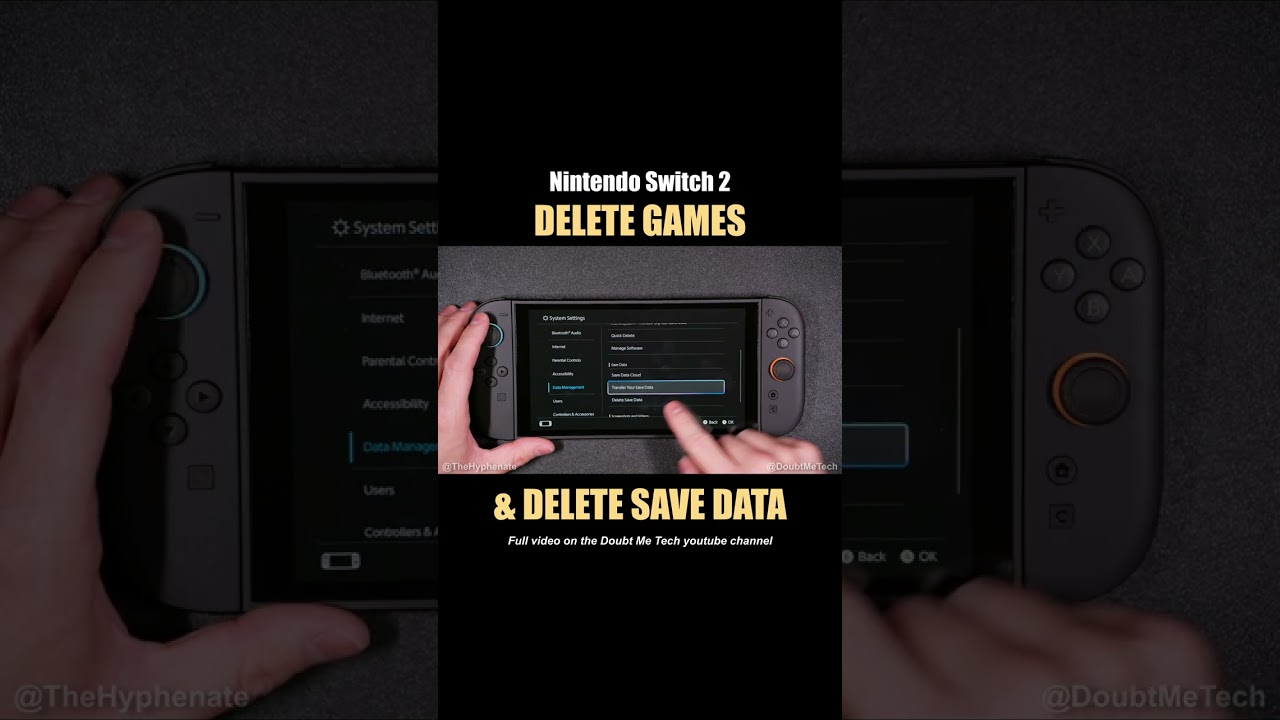
How To Delete Save Game Data On Nintendo Switch 2 YouTube . How To Uninstall Games On Nintendo Switch 2 2025 Delete Software . How To Completely Delete A Game On Nintendo Switch Free Up Storage . How To Delete Save Data On Switch Easy Step By Step Guide Delete Save Data On Switch Step 12 . Deleting Games Save Data From Nintendo Switch 2 How To Delete Files

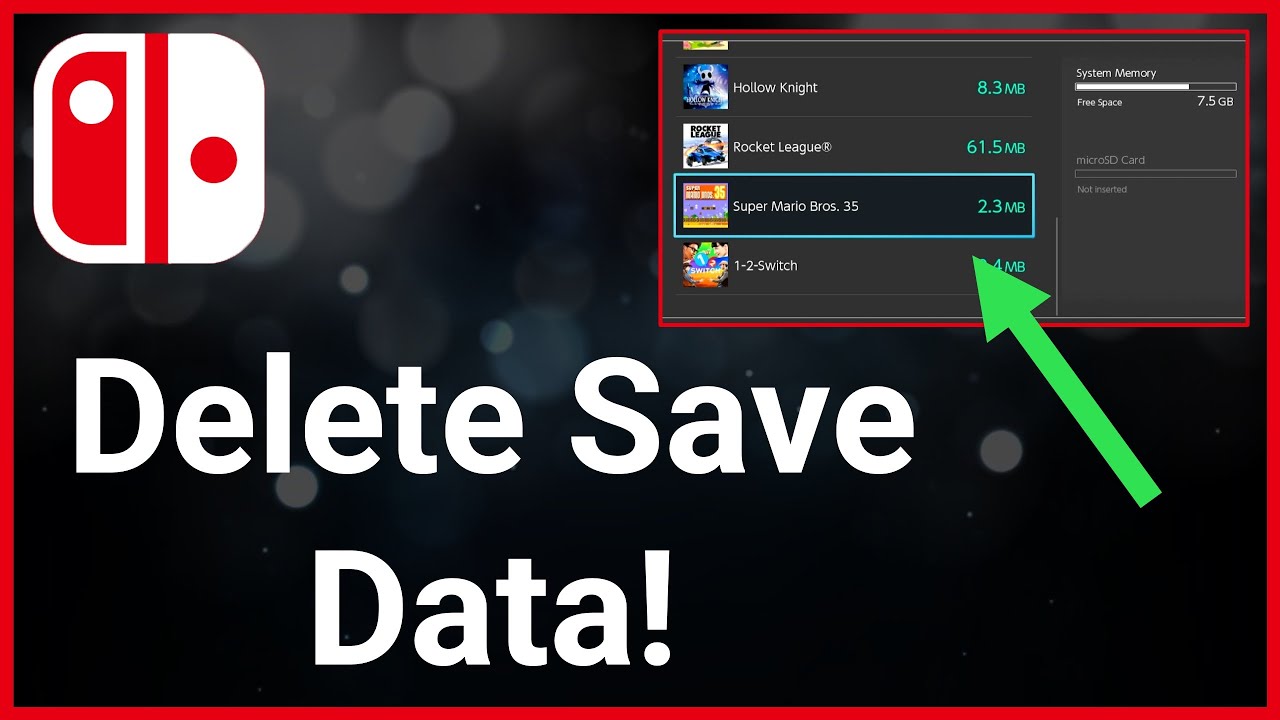

10 Cool Nintendo Switch Tips And Tricks You Should Know Beebom Delete Software . Deleting Games Save Data From Nintendo Switch 2 How To Delete Files . How To Delete The Save Data In Nintendo Switch Game YouTube . What Is Archiving On Switch At Jaime Trujillo Blog Select Game Pres Plus . How To Delete Content On Nintendo Switch 2 Game Data Removal Guide


How To Delete Game Save Data On Nintendo Switch Step By Step YouTube . How To Delete A Game From Nintendo Switch What You Need To Know Delete Games On Nintendo Switch . Here S How To Delete Games On Nintendo Switch Easily Confirm Delete . How To Delete Games Off Nintendo Switch YouTube . My Honest Grubby AI Review Hands On Testing Personal Experience How To Archive Vs Delete Games On Nintendo Switch Switch Lite And Switch OLED



Top 15 Switch Games Of 2026 Allkeyshop 2 6 TOP15 TH Switch 1024x576 . Nintendo Switch 2 2026 Games You Should Have On Your Radar Gamer Org A Bold Gaming Thumbnail Design With Swit UilKA7S . 2026 Nintendo Switch GAMES GG Best Nintendo Switch Games For 2026 093ea4012b . Upcoming Games March 2026 News Nintendo UK 16x9 HP NSwitch2 March GB En . 15 ESSENTIAL Nintendo Switch And Switch 2 Games COMING In 2026 12


How To Archive Vs Delete Games On Nintendo Switch Switch Lite And AD .webp. How To Delete A User On A Switch At Kristina Hertz Blog Click Delete Software . How To Delete Games On Nintendo Switch YouTube . How To Remove Game Card From Nintendo Switch Full Guide YouTube . The 26 Switch 2 Games You Need To Know About For 2026 Hanafuda Report 26 Switch Games 2